AutoMacro
Records what you do with mouse and keyboard, then repeats it
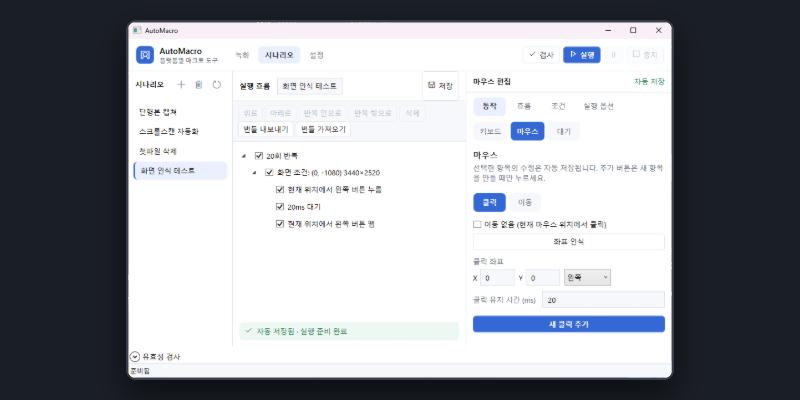
Record mouse moves, clicks and keystrokes on Windows, string them into a scenario and run it as many times as you like. Because it can branch on what is on screen, it copes with windows that are not always in the same place.
Download (not out yet) Release page
What it does
- Recording - mouse moves, clicks and keystrokes, with the delay between them set as you record
- Pointer control - move to the middle of whatever matches an image, click where the pointer already is, or move by absolute or relative steps
- Scenarios that repeat a set number of times, for a set period, or without end
- Branching on a run option or on what is on screen, with several conditions watched independently
- Change options while it runs; the change takes effect at the next step or condition boundary
- Share a bundle - scenarios and their reference documents export to a single .amb.json file
Requirements
- Runs on
- Windows
- Price
- Free
- A single executable with no installer. Just run the AutoMacro.exe you downloaded.
- Only the Windows build is available; there is no Android or macOS version yet.
- It is not code-signed, so Windows may show its "protected your PC" dialog. Choose More info, then Run anyway.
- Because it records and replays input, antivirus software sometimes flags it. If it will not start, check your antivirus quarantine.
- The source is not published; the GitHub repository is only where the executable lives.