Desk Widgets v1.1.0

Desktop widget engine for Windows

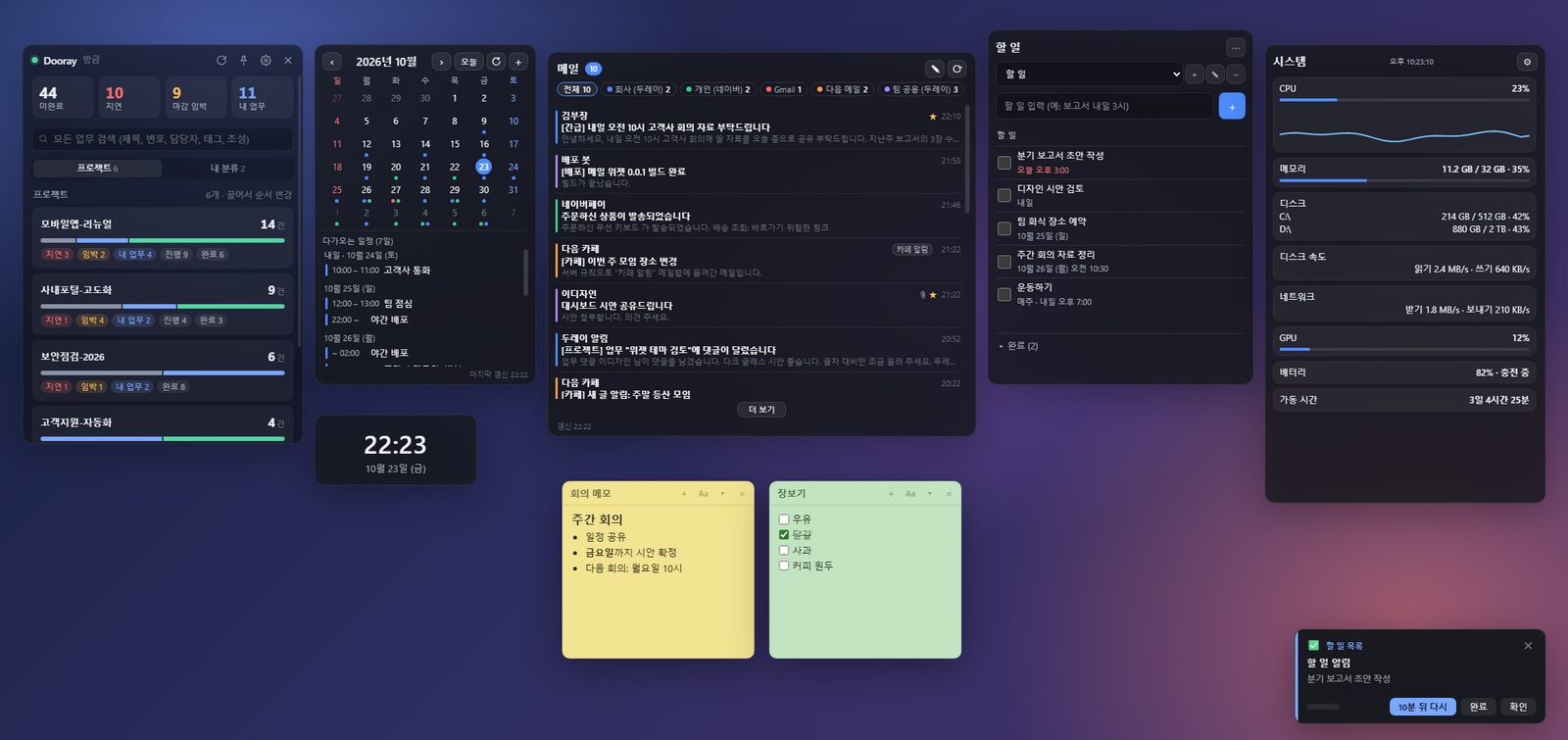
A desktop with several widgets: Dooray dashboard, calendar, mail, to-do, clock, sticky notes and system monitor

An open-source engine that puts widgets on your Windows desktop. Install the engine once, then add only the widgets you want: they all run inside that one engine, which uses far less memory than a separate app per widget.

Download the engine (not out yet) Release page

What it does

Requirements

Runs on
Windows 10/11 (64-bit)
Price
Free · No ads, no in-app purchases
You need
Windows 10 or 11 (64-bit)
Licence
MIT

Widgets

Install the engine first, then add only the widgets you want. Each one shows up in the engine by itself.

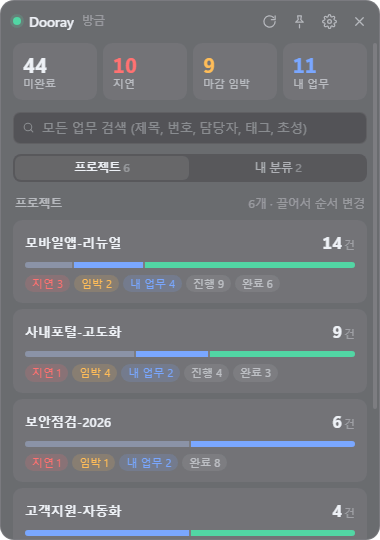
Dooray dashboard widget: Work by project
Work by project
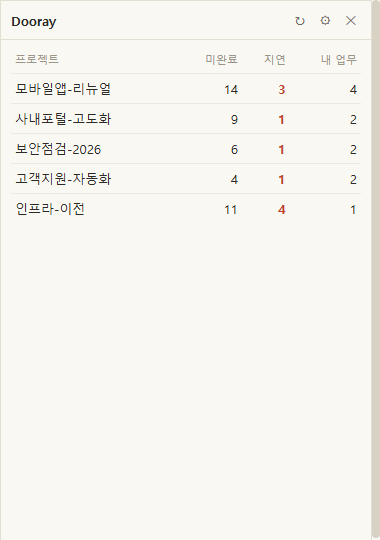
Dooray dashboard widget: Paper theme
Paper theme

Dooray dashboard v1.1.0

Keeps an eye on your Dooray projects and their alerts from the desktop.

  • Open, late, due-soon and my-work counts per project, plus who has what, on one screen
  • Alert cards for mentions, assignments, new comments, status changes and missed deadlines
  • Group work into your own categories, kept on this PC only and invisible in Dooray
  • Search by title, tag or assignee, including Korean initial-letter search
  • Conditional alerts, such as telling you at a set time if the daily report has not been filed
  • Pull a single project out into its own widget window
You need
Your Dooray domain and an API token (Dooray, Settings, API, personal token).
Engine needed
1.0.0 or newer

Download (not out yet)

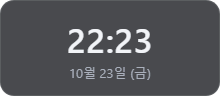
Clock widget: Dark glass (default)
Dark glass (default)
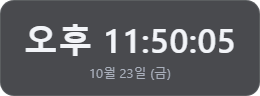
Clock widget: Seconds and 12-hour time
Seconds and 12-hour time
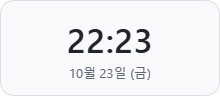
Clock widget: Light theme
Light theme
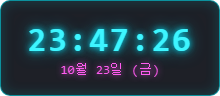
Clock widget: Neon digital with seconds
Neon digital with seconds
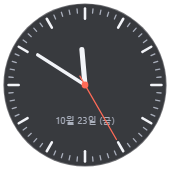
Clock widget: Analogue with a second hand
Analogue with a second hand
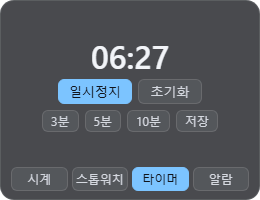
Clock widget: Timer running
Timer running
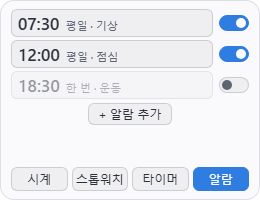
Clock widget: Alarms tab
Alarms tab

Clock v1.1.0

A desktop clock with five themes, seconds and 12-hour display, plus stopwatch, timer and alarms.

  • Five themes - dark glass, light, minimal, neon digital and analogue - each with its own background opacity
  • Seconds and 12-hour time can each be turned on or off
  • Stopwatch and timer with three presets, ending in a sound and an alert card
  • Up to twenty alarms, each with repeat days, a name and a five-minute snooze
  • Always on top, dragged where you want it (and it remembers), and themes you are given can be added
You need
No account or setup needed.
Engine needed
1.0.1 or newer

Download (not out yet)

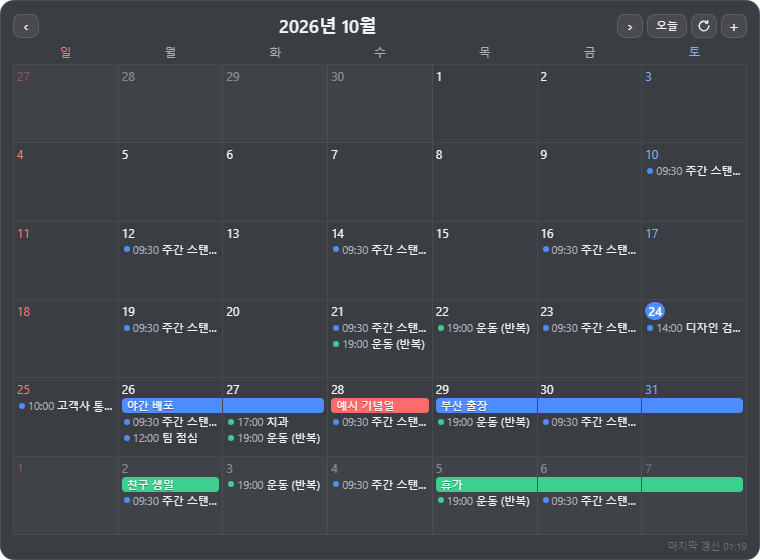
Calendar widget: Large theme, events inside the day cells
Large theme, events inside the day cells
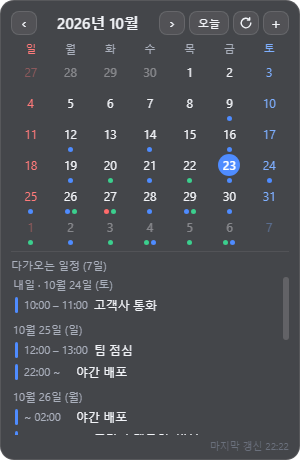
Calendar widget: Month view with what is coming
Month view with what is coming

Calendar v1.1.0

See, create and edit events from CalDAV accounts and ICS subscriptions in one calendar.

  • CalDAV accounts (iCloud, Naver, Naver Works, Dooray and the like) and ICS subscriptions (Google, Outlook, holidays) in one calendar, told apart by colour
  • A month view and a list of what is coming; click a day to see it
  • A large theme showing events inside the day cells of a six-week grid, with multi-day events drawn as bars
  • Create, edit and delete in writable CalDAV calendars; ICS subscriptions are read-only
  • Fetched events are kept on the PC, so they are there after a restart or without a connection
  • Choose whether a week starts on Sunday or Monday
You need
A CalDAV account (username and app-specific password) or an ICS subscription URL.
Engine needed
1.0.1 or newer

Download (not out yet)

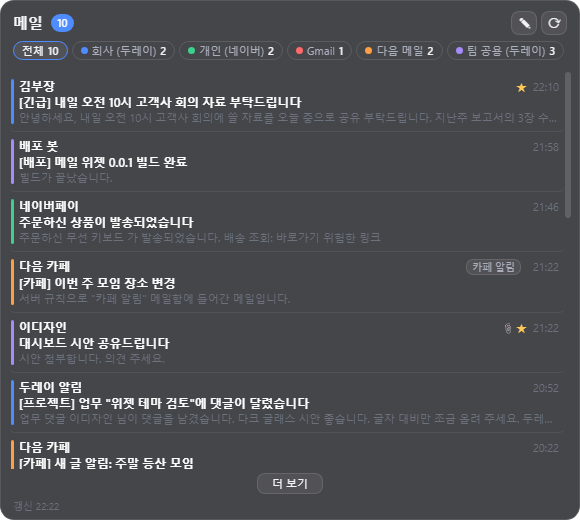
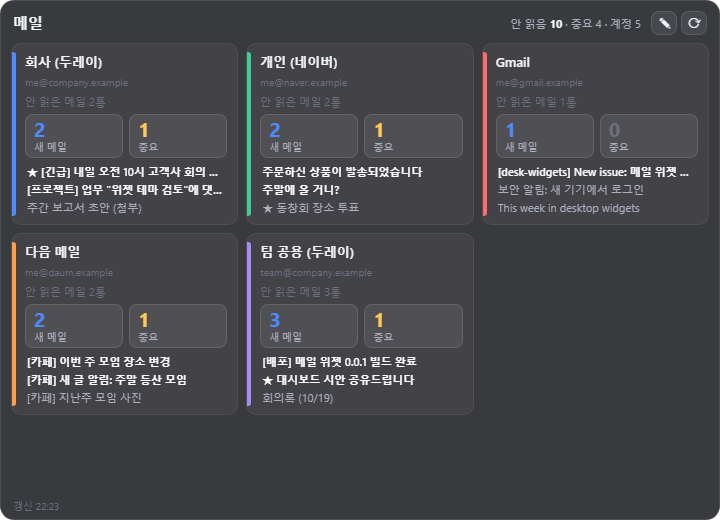
Mail widget: Several accounts in one list
Several accounts in one list
Mail widget: Account dashboard theme
Account dashboard theme
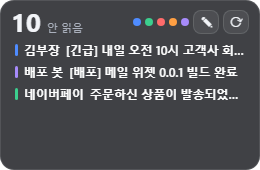
Mail widget: Compact card theme
Compact card theme
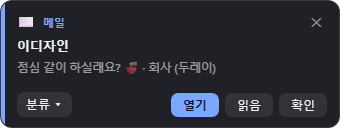
Mail widget: New-mail alert card
New-mail alert card

Mail v1.1.0

One list for the inboxes of several accounts, with new-mail alerts and replies on the spot.

  • IMAP inboxes (Dooray, Naver, Daum, Gmail and others) merged into one list by arrival time, each account in its own colour
  • Alert cards for new mail, which can be turned off for everything or per account
  • Read the body in place; formatted mail with images opens in a separate, sandboxed window
  • Reply, reply all, forward and compose - sent from the widget or handed to your mail app or webmail
  • Your own categories, and address completion kept on this PC only
  • Three themes: default, compact cards and an account dashboard
You need
IMAP enabled on the account, and its password (an app password for Gmail, and for Naver if two-step sign-in is on). Outlook.com and Microsoft 365 cannot be connected yet.
Engine needed
1.0.1 or newer

Download (not out yet)

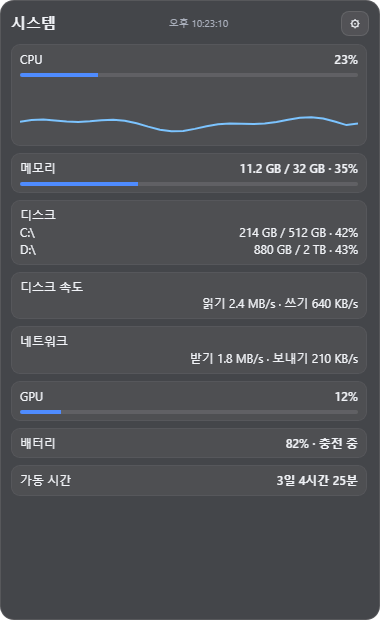
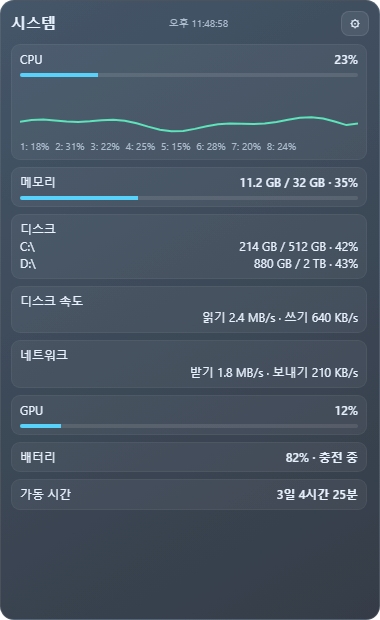
System monitor widget: Dark glass
Dark glass
System monitor widget: Ocean graph with per-core CPU
Ocean graph with per-core CPU
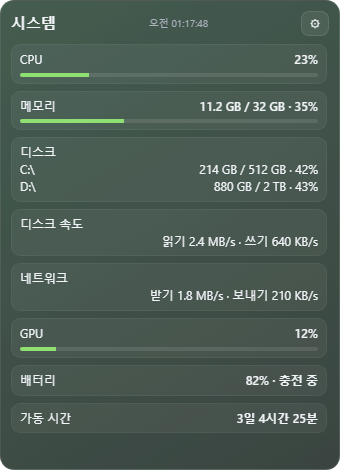
System monitor widget: Bars theme
Bars theme

System monitor v1.1.0

CPU, memory, disks, network, GPU and battery at a glance.

  • CPU load with a recent-history graph, and per-core if you want it
  • Memory, free space per drive, and disk read and write speed
  • Network up and down, GPU load, battery and uptime
  • Four themes: dark glass, ocean graph, bars and a mini bar
  • A sampling interval from one to ten seconds, and it stops measuring when hidden or while you are away
You need
No account or setup needed. On a PC with no GPU counter or battery, those rows read as unavailable.
Engine needed
1.0.4 or newer

Download (not out yet)

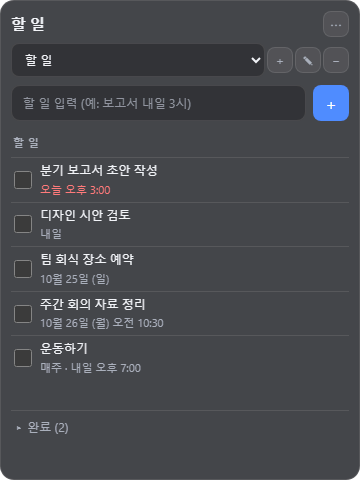
To-do list widget: To-dos with dates and repeats
To-dos with dates and repeats
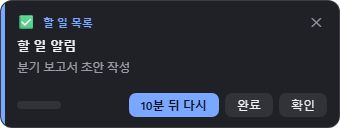
To-do list widget: To-do alert card
To-do alert card

To-do list v1.1.0

A to-do list made for typing fast and ticking off, with dates in plain Korean, repeats and reminders.

  • Type and press Enter; ticking an item folds it into the finished list below
  • Write the date at the end in plain Korean - tomorrow at 3pm, next Monday, every Friday at 15:30
  • When the time comes, finish it from the alert card or be reminded again, ten minutes later by default
  • Keep several lists, and drag items into the order you want
  • Turn a Dooray task or an email into a to-do, and show its due date in the calendar if you enable it
  • Two themes: dark glass and ocean
You need
No account or setup needed. Your to-dos stay on this PC.
Engine needed
1.0.1 or newer

Download (not out yet)

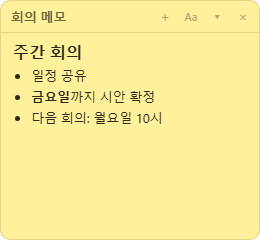
Sticky notes widget: Meeting notes
Meeting notes
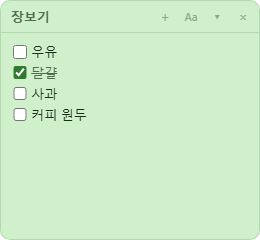
Sticky notes widget: A checklist
A checklist
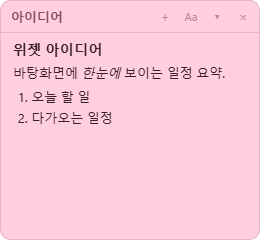
Sticky notes widget: Headings and a numbered list
Headings and a numbered list

Sticky notes v1.1.0

One window per note, written with the formatting visible and saved as Markdown files.

  • A small window per note, edited with the formatting showing - bold, headings, checklists, code, tables and links
  • Paste images and attach files
  • Saved automatically as .md files in your Documents folder, so pointing Obsidian or VS Code at the same folder shows outside edits straight away
  • Link notes with [[note name]]; renaming a note updates the links to it
  • Seven note colours, always on top, folding, and a searchable list and archive
You need
No account or setup needed. Notes are files in your Documents folder, so they survive uninstalling the widget.
Engine needed
1.0.0 or newer

Download (not out yet)

Links

← Back to all apps